

Zoho Books Bewertung: Vorteile, Nachteile, Funktionen und Preise erklärt
Ich nehme Zoho Books als leistungsstarke Buchhaltungslösung für den E-Commerce unter die Lupe – erfahren Sie, wo die Software überzeugt, wo sie an ihre Grenzen stößt und was sie für Onlinehändler im Jahr 2026 besonders flexibel macht.

Wir bewerten Tools unabhängig und Provisionen helfen, unsere Tests zu finanzieren. Siehe unsere transparente Richtlinie, unsere Methodik oder schlagen Sie ein Tool vor.
Zoho Books is an ecommerce accounting software built for small to mid-sized businesses that need invoicing, expense tracking, inventory management, and tax compliance in one platform. I'd consider it if your business already runs on other Zoho products—the native integration across the Zoho suite is tighter than what QuickBooks offers, and the pricing tiers are more accessible without sacrificing core accounting functionality.
Zoho Books Evaluation Summary
4.3/5
- From $15/month (billed annually)
- Free plan + free demo available
Warum Sie unseren Software-Empfehlungen vertrauen können
6,700+
Reviews
20
Industry experts
16+
Evaluation factors
14
Years
Unser Team testet und bewertet Software seit 2012. Als Führungskräfte im Einzelhandel selbst wissen wir, wie schwierig – und wichtig – es ist, die richtige Software auszuwählen.
Für diesen Leitfaden haben wir Tools mithilfe von praktischen Tests und unabhängiger Recherche bewertet und dabei die Tools anhand unserer Bewertungskriterien bewertet.
Unsere Bewertungen spiegeln unser unabhängiges Urteilsvermögen wider – keine Verkaufsstrategie.
Zoho Books Overview
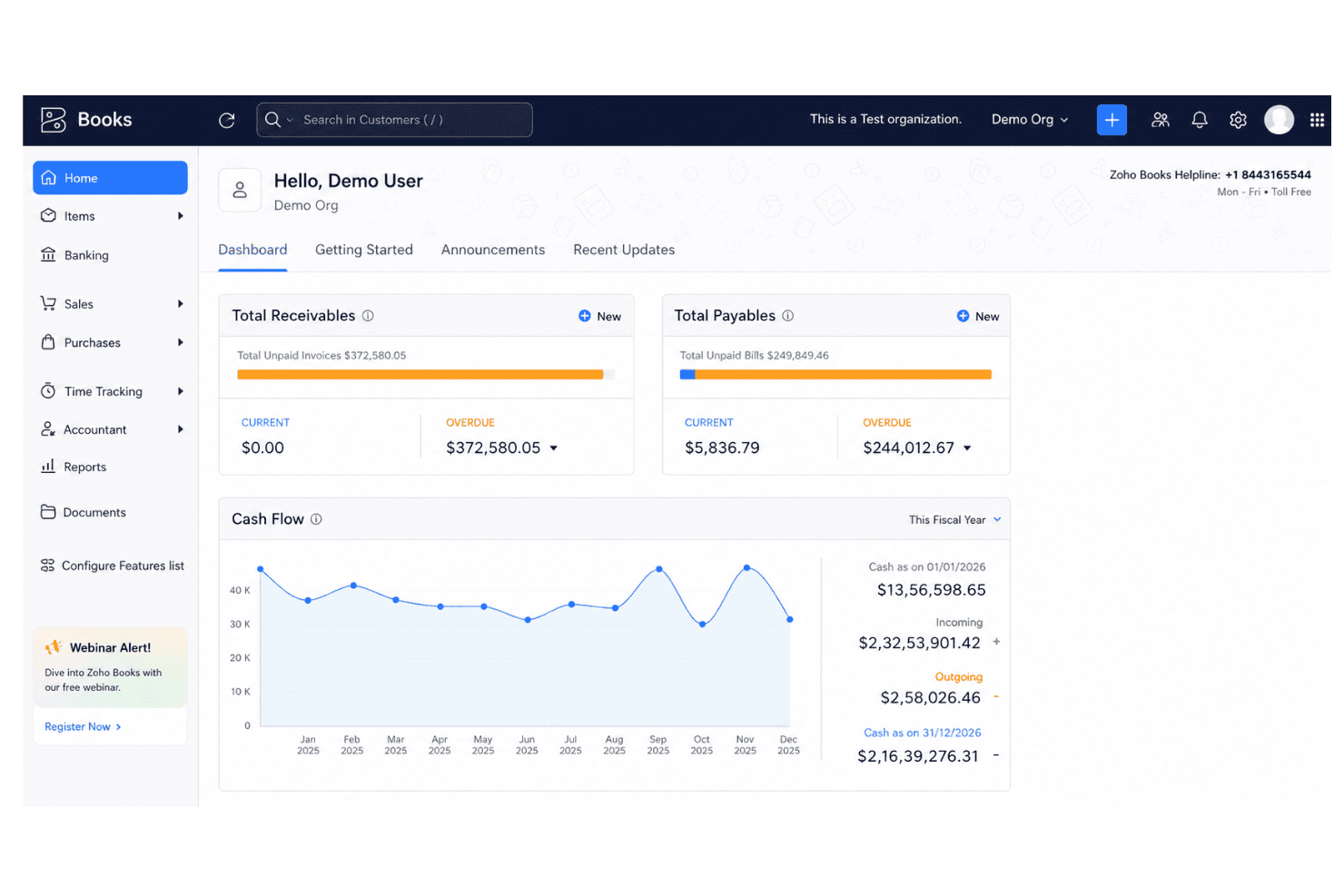
I think Zoho Books strikes the best balance for ecommerce teams who want strong automation tools, smooth inventory tracking, and clear billing without a steep learning curve. Pricing is competitive, setup is quick, and the interface feels intuitive. Onboarding is a breeze even for small teams. While some integrations require extra steps or add-ons, I’d judge Zoho Books as the top choice for retailers on a budget or those scaling up, thanks to vendor portal features and workflow customization. If you run complex omnichannel operations, you might want deeper integrations, but for most, Zoho Books ticks the essential boxes.
Pros
- Automated invoice matching with order and payment data
- Multi-channel inventory management updates in real time
- Support for multiple tax rates and currencies
Cons
- Payroll tools are only available through integration
- Some ecommerce platform connections require manual setup
- Advanced reporting features are limited on lower plans
Is Zoho Books Right For Your Needs?
Who Would be a Good Fit for Zoho Books?
Zoho Books works best for SMBs, freelancers, and ecommerce brands that need real-time inventory, order, and invoice management in a single platform. Teams in retail, wholesale, and direct-to-consumer categories will appreciate the easy automation and multi-channel support. It's also a natural fit for businesses already using other Zoho apps, thanks to its seamless integrations across the Zoho ecosystem. It’s also a strong match for founders and finance leads who need to control costs, automate tax compliance, and handle transactions in multiple currencies without heavy IT lift.
- Small Ecommerce StoresZoho Books automates orders, tracks stock, and reduces the need for manual bookkeeping, ideal for lean teams.
- International RetailersBuilt-in multi-currency and automated tax tools make cross-border transactions and compliance much less stressful.
- Direct-to-Consumer BrandsIntegrated order, shipping, and payment tracking helps DTC brands centralize finances and avoid missed revenue.
- Inventory ManagersReal-time product and warehouse tracking prevent stock-outs and help keep accurate inventory across channels.
- Freelance AccountantsLow entry cost and cloud-based access make it easy for freelance accountants to advise multiple clients at once.
- Digital Goods SellersAutomated invoicing and instant reconciliation help sellers of digital downloads and online courses keep books clean.
Who Would be a Bad Fit for Zoho Books?
Zoho Books isn’t the best fit for very large companies with advanced accounting needs, complex regulatory requirements, or teams demanding deep finance customization. Fast-scaling enterprises and organizations with global subsidiaries may find the workflow and reporting too basic. It’s also not suited for companies requiring sector-specific accounting features or highly tailored workflows beyond what’s available from templates and automation.
- Large EnterprisesLacks highly customizable workflows and complex consolidation tools needed by large enterprise finance teams.
- Public CompaniesDoes not support the advanced audit controls, compliance features, or regulatory reporting required for publicly listed firms.
- Manufacturers With ERP NeedsInventory tools are limited compared to dedicated enterprise resource planning (ERP) systems, especially for complex production.
- Nonprofits With GrantsGrant management and sector-specific fund accounting features are missing for nonprofit organizations.
- Multi-Subsidiary GroupsZoho Books cannot consolidate books across many legal entities or manage intercompany accounting well.
- Project-Based AgenciesProject accounting and time tracking features are basic, making it less useful for creative or consulting agencies who bill by the hour.
Unsere Bewertungsmethodik
Wie Wir Tools Testen & Bewerten
Wir haben über Jahre hinweg unser System zur Softwarebewertung und -testung entwickelt, verfeinert und verbessert. Die Bewertungsmatrix ist darauf ausgelegt, die Feinheiten der Softwareauswahl und die Effektivität eines Tools einzufangen, wobei der Fokus auf entscheidende Aspekte des Auswahlprozesses liegt. Nachfolgend sehen Sie genau, wie unser Test- und Bewertungssystem anhand von sieben Kriterien funktioniert. Dies ermöglicht uns, eine unvoreingenommene Bewertung der Software basierend auf Kernfunktionen, besonderen Merkmalen, Benutzerfreundlichkeit, Einarbeitung, Kundensupport, Integrationen, Kundenrezensionen und Preis-Leistungs-Verhältnis anzubieten.
Kernfunktionen (25% der Gesamtnote)
Der Ausgangspunkt unserer Bewertung ist immer die Kernfunktionalität des Tools. Verfügt es über die grundlegenden Funktionen, die ein Nutzer erwarten würde? Sind wichtige Kernfunktionen eventuell nur in höherpreisigen Tarifen enthalten? Ein Tool sollte im Kern mindestens mit den Basisfunktionen der Wettbewerber mithalten können.
Besondere Funktionen (25% der Gesamtnote)
Anschließend bewerten wir außergewöhnliche Funktionen, die über die normalen Kernfunktionen vergleichbarer Tools hinausgehen. Ein hoher Score spiegelt spezialisierte oder einzigartige Funktionen wider, die das Produkt schneller, effizienter oder wertvoller für die Nutzer machen. Wir bewerten außerdem, wie einfach sich das Tool mit anderen Programmen, die typischerweise zum Technologie-Stack gehören, integrieren lässt, um dessen Funktionalität und Nutzwert zu erweitern. Tools mit zahlreichen nativen Integrationen, Drittanbieteranbindungen und API-Zugang für eigene Entwicklungen schneiden hier am besten ab.
Benutzerfreundlichkeit (10% der Gesamtnote)
Wir betrachten, wie schnell und einfach es ist, die Kernaufgaben mit dem Tool zu erledigen. Software, die gut gestaltet und intuitiv zu bedienen ist, mobile Apps bietet, Vorlagen zur Verfügung stellt und komplexe Aufgaben einfach erscheinen lässt, erzielt die besten Werte.
Einarbeitung (10% der Gesamtnote)
Wir wissen, wie wichtig die schnelle Einführung eines neuen Tools im Team ist. Daher evaluieren wir, wie einfach es mit minimalem Training ist, das Tool kennenzulernen. Wir ermitteln, wie schnell ein Teammitglied ohne Vorerfahrung startklar ist. Lösungen, die kaum oder gar keine Unterstützung benötigen, erhalten die höchste Punktzahl.
Kundensupport (10% der Gesamtnote)
Wir überprüfen, wie schnell und einfach man Hilfe per Telefon, Live-Chat oder Wissensdatenbank erhält. Tools und Anbieter, die Echtzeit-Support bieten, schneiden am besten ab; Chatbots liegen am unteren Ende.
Kundenrezensionen (10% der Gesamtnote)
Zusätzlich zu unseren eigenen Tests ziehen wir den Net-Promoter-Score bestehender und früherer Kunden heran. Wir überprüfen, wie wahrscheinlich sie das Tool erneut für die Kernfunktionen wählen würden. Ein hoher Score spiegelt einen hohen Net-Promoter-Score wider.
Preis-Leistungs-Verhältnis (10% der Gesamtnote)
Schließlich bewerten wir im Kontext aller anderen Kriterien den Durchschnittspreis von Einstiegsplänen im Verhältnis zu den Kernfunktionen und betrachten den Wert der übrigen Kriterien. Software, die mehr zu geringeren Kosten bietet, schneidet hier besser ab.
Core Features
Sales Order Management
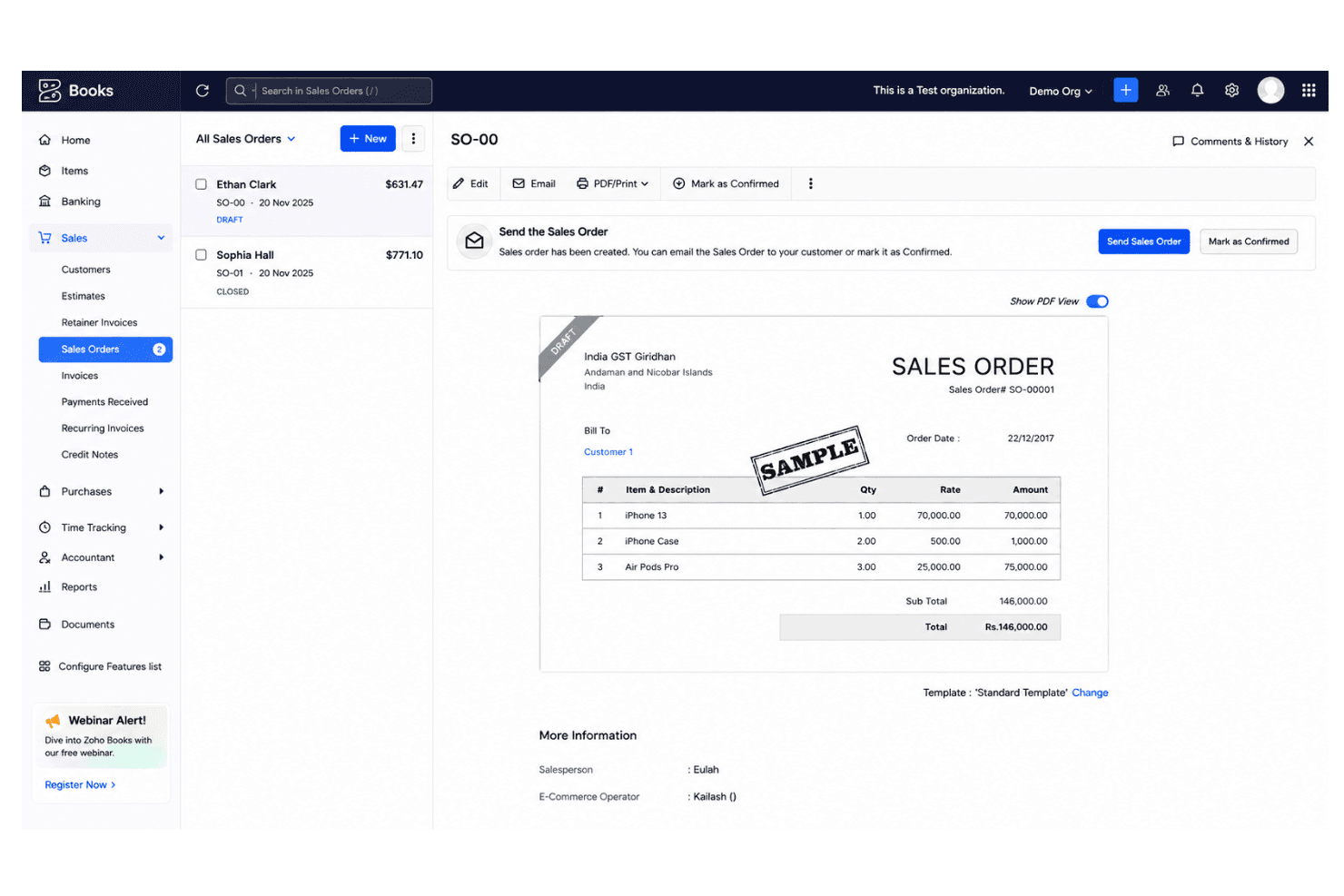
Create, approve, and track sales orders from quote to delivery. This helps prevent stock-outs and streamlines fulfillment across channels.
Inventory Tracking
Monitor product quantities, stock levels, and warehouse transfers in real time. Users can set reorder points to avoid overselling.
Automated Bank Reconciliation
Sync account transactions and match deposits automatically to online sales. This reduces errors and saves hours of manual work.
Multi-Currency Invoicing
Send invoices and accept payments in different currencies. Useful for ecommerce brands selling internationally.
Recurring Billing Automation
Schedule and send recurring invoices for subscription or repeat customers. Payment reminders can be set up to reduce missed payments.
Tax Calculation and Compliance
Apply country-specific tax rules to invoices and sales automatically. Zoho Books can generate tax reports for easy filing.
Ease of Use
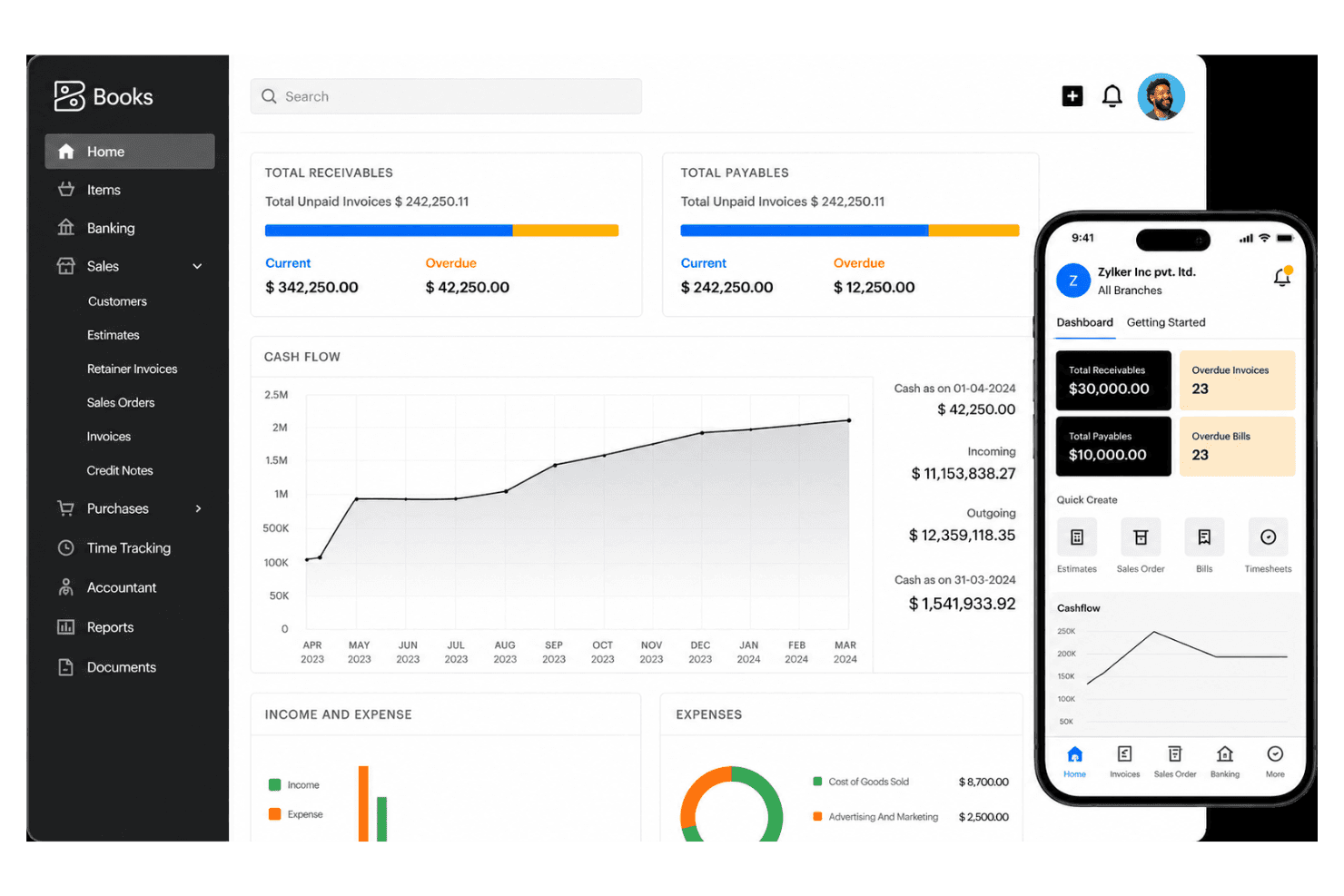
Zoho Books stands out for its clear navigation and fast onboarding, making ecommerce accounting accessible even for teams with no deep accounting background. I think users appreciate customizable dashboards, drag-and-drop invoice templates, and the ability to automate repetitive tasks, which really streamlines day-to-day work. Most reviews mention minimal training is needed for new staff.
Integrations
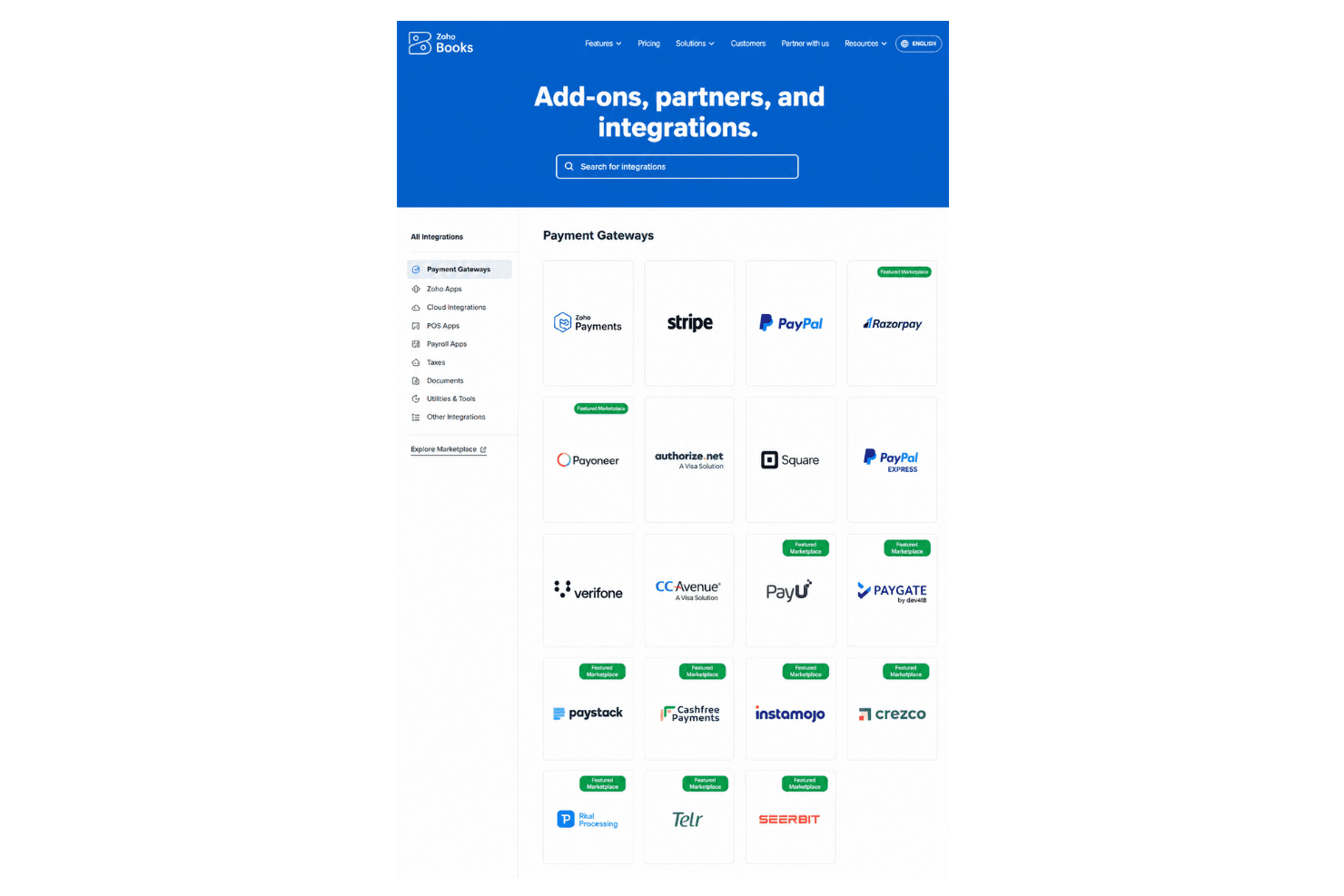
Zoho Books integrates with Shopify, WooCommerce, Amazon, PayPal, Stripe, Square, Zoho Inventory, Zoho CRM, Google Drive, Slack, and Office 365, among others.
Zoho Books also offers an open API and connects with third-party integration tools like Zapier.
Zoho Books Specs
- 2-Factor Authentication: Yes
- Accounts Payable: Yes
- Accounts Receivable: Yes
- API: Yes
- Balance Sheet: Yes
- Billing/Invoicing: Yes
- BitCoin: Yes
- Budgeting: Yes
- Calendar Management: Yes
- Contact Management: Yes
- CRM Integration: Yes
- Customer Management: Yes
- Dashboard: Yes
- Data Export: Yes
- Data Import: Yes
- Data Visualization: Yes
- Expense Tracking: Yes
- External Integrations: Yes
- Forecasting: Yes
- General Account Ledger: Yes
- Inventory Tracking: Yes
- Multi-Currency: Yes
- Multi-User: Yes
- Notifications: Yes
- P&L: Yes
- PayPal: Yes
- Payroll: Yes
- SAP Integration: Yes
- Stripe: Yes
- Supplier Management: Yes
- Tax Management: Yes


