

Zapier Bewertung: Vorteile, Nachteile, Funktionen und Preise
Zapier glänzt in der E-Commerce-Automatisierung durch unvergleichliche Integrationsmöglichkeiten und ist dadurch eine vielseitige Wahl für verschiedenste Geschäftsabläufe.

Wir bewerten Tools unabhängig und Provisionen helfen, unsere Tests zu finanzieren. Siehe unsere transparente Richtlinie, unsere Methodik oder schlagen Sie ein Tool vor.
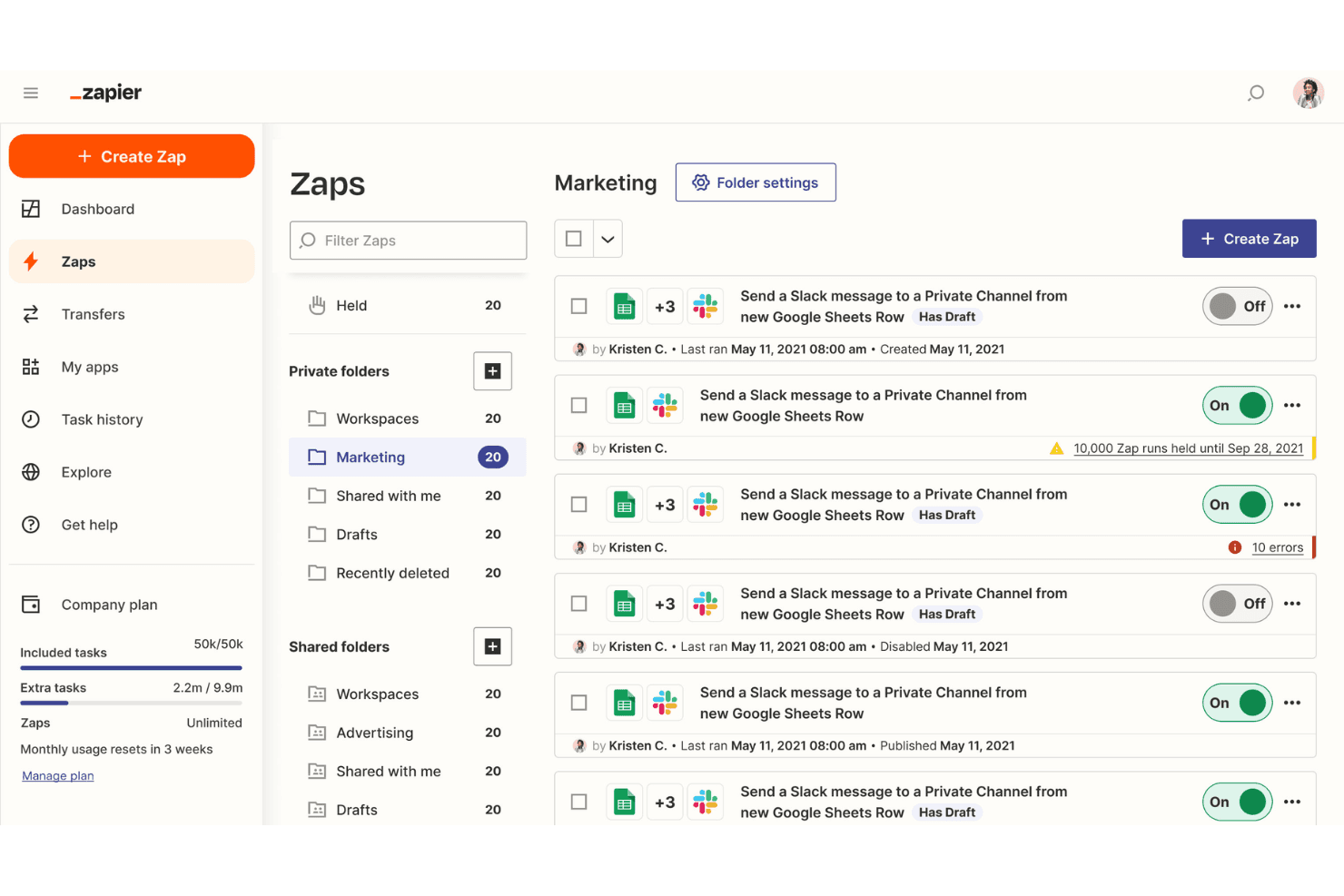
Zapier is an ecommerce automation tool that connects your apps and triggers actions across them without writing code. It's worth considering if you're managing workflows across multiple platforms—syncing orders, updating inventory, or routing customer data between tools—and need automations that are quicker to build than what Make requires, but far more flexible than the native automation built into your ecommerce platform.
Zapier Evaluation Summary
4.7/5
- From $19.99/month (billed annually)
- 14-day free trial and free plan available
Warum Sie unseren Software-Empfehlungen vertrauen können
6,700+
Reviews
20
Industry experts
16+
Evaluation factors
14
Years
Unser Team testet und bewertet Software seit 2012. Als Führungskräfte im Einzelhandel selbst wissen wir, wie schwierig – und wichtig – es ist, die richtige Software auszuwählen.
Für diesen Leitfaden haben wir Tools mithilfe von praktischen Tests und unabhängiger Recherche bewertet und dabei die Tools anhand unserer Bewertungskriterien bewertet.
Unsere Bewertungen spiegeln unser unabhängiges Urteilsvermögen wider – keine Verkaufsstrategie.
Zapier Overview
In my opinion, Zapier is a top choice for businesses seeking flexible ecommerce automation tools. Its extensive app integrations and intuitive interface make it a standout option, especially for small to medium businesses that need to automate repetitive tasks without coding. While its onboarding and support could be improved, its value lies in its ability to connect disparate systems seamlessly. Compared to competitors, Zapier excels in versatility and ease of use, making it ideal for marketing teams and IT departments. If you're deciding on an automation tool, consider Zapier for its integration capabilities and user-friendly setup.
Pros
- You can automate tasks without any coding skills.
- It connects over 3,000 apps to streamline your workflows.
- The user-friendly interface makes setup quick and easy.
Cons
- Advanced automation features can be tricky to configure.
- Some users find the customer support response times slow.
- Complex workflows might require more detailed documentation.
Is Zapier Right For Your Needs?
Who Would be a Good Fit for Zapier?
Zapier is a great fit for small to medium-sized businesses and teams needing to automate repetitive tasks without coding. Marketing teams and IT departments benefit from its ability to connect thousands of apps, simplifying complex workflows. For example, if your team needs to automate lead generation or sync data across platforms, Zapier's easy-to-use interface and powerful automation capabilities make it a strong choice.
- Small BusinessesZapier helps small businesses automate tasks like customer follow-ups and data entry, saving time and resources.
- Marketing TeamsYour marketing team can use Zapier to automate social media posts and trigger email campaigns based on customer actions.
- IT DepartmentsIT departments benefit from Zapier's integrations to automate routine maintenance tasks and data syncing between systems.
- Ecommerce StoresEcommerce stores use Zapier to automate order processing and inventory updates, ensuring smooth operations.
- FreelancersFreelancers can automate client communication and project management tasks, freeing up more time for creative work.
- Project ManagersProject managers use Zapier to connect project management tools and automate updates, keeping teams aligned and informed.
Who Would be a Bad Fit for Zapier?
Zapier might not suit large enterprises or teams needing highly customizable, complex automation workflows. If your business requires granular control over processes or needs to handle a vast amount of data in real-time, Zapier's limitations in advanced automation and support might not meet your expectations. For instance, industries with strict compliance standards or those needing tailored solutions may find Zapier lacking in customization and scalability.
- Large EnterprisesLarge enterprises often need custom solutions that Zapier can't provide due to its limited scalability.
- Highly Regulated IndustriesIndustries like finance or healthcare may find Zapier's compliance features insufficient for their strict standards.
- Data-Intensive OperationsOperations requiring real-time data processing might find Zapier's automation speed and capacity lacking.
- Advanced IT TeamsAdvanced IT teams needing deep customization options may find Zapier's capabilities too basic.
- Complex ManufacturingManufacturing processes with intricate, specific automation needs might find Zapier's feature set too limited.
- Custom Software DevelopersDevelopers requiring bespoke integrations may find Zapier's predefined options restrictive for their projects.
Unsere Bewertungsmethodik
Wie Wir Tools Testen & Bewerten
Wir haben über Jahre hinweg unser System zur Softwarebewertung und -testung entwickelt, verfeinert und verbessert. Die Bewertungsmatrix ist darauf ausgelegt, die Feinheiten der Softwareauswahl und die Effektivität eines Tools einzufangen, wobei der Fokus auf entscheidende Aspekte des Auswahlprozesses liegt. Nachfolgend sehen Sie genau, wie unser Test- und Bewertungssystem anhand von sieben Kriterien funktioniert. Dies ermöglicht uns, eine unvoreingenommene Bewertung der Software basierend auf Kernfunktionen, besonderen Merkmalen, Benutzerfreundlichkeit, Einarbeitung, Kundensupport, Integrationen, Kundenrezensionen und Preis-Leistungs-Verhältnis anzubieten.
Kernfunktionen (25% der Gesamtnote)
Der Ausgangspunkt unserer Bewertung ist immer die Kernfunktionalität des Tools. Verfügt es über die grundlegenden Funktionen, die ein Nutzer erwarten würde? Sind wichtige Kernfunktionen eventuell nur in höherpreisigen Tarifen enthalten? Ein Tool sollte im Kern mindestens mit den Basisfunktionen der Wettbewerber mithalten können.
Besondere Funktionen (25% der Gesamtnote)
Anschließend bewerten wir außergewöhnliche Funktionen, die über die normalen Kernfunktionen vergleichbarer Tools hinausgehen. Ein hoher Score spiegelt spezialisierte oder einzigartige Funktionen wider, die das Produkt schneller, effizienter oder wertvoller für die Nutzer machen. Wir bewerten außerdem, wie einfach sich das Tool mit anderen Programmen, die typischerweise zum Technologie-Stack gehören, integrieren lässt, um dessen Funktionalität und Nutzwert zu erweitern. Tools mit zahlreichen nativen Integrationen, Drittanbieteranbindungen und API-Zugang für eigene Entwicklungen schneiden hier am besten ab.
Benutzerfreundlichkeit (10% der Gesamtnote)
Wir betrachten, wie schnell und einfach es ist, die Kernaufgaben mit dem Tool zu erledigen. Software, die gut gestaltet und intuitiv zu bedienen ist, mobile Apps bietet, Vorlagen zur Verfügung stellt und komplexe Aufgaben einfach erscheinen lässt, erzielt die besten Werte.
Einarbeitung (10% der Gesamtnote)
Wir wissen, wie wichtig die schnelle Einführung eines neuen Tools im Team ist. Daher evaluieren wir, wie einfach es mit minimalem Training ist, das Tool kennenzulernen. Wir ermitteln, wie schnell ein Teammitglied ohne Vorerfahrung startklar ist. Lösungen, die kaum oder gar keine Unterstützung benötigen, erhalten die höchste Punktzahl.
Kundensupport (10% der Gesamtnote)
Wir überprüfen, wie schnell und einfach man Hilfe per Telefon, Live-Chat oder Wissensdatenbank erhält. Tools und Anbieter, die Echtzeit-Support bieten, schneiden am besten ab; Chatbots liegen am unteren Ende.
Kundenrezensionen (10% der Gesamtnote)
Zusätzlich zu unseren eigenen Tests ziehen wir den Net-Promoter-Score bestehender und früherer Kunden heran. Wir überprüfen, wie wahrscheinlich sie das Tool erneut für die Kernfunktionen wählen würden. Ein hoher Score spiegelt einen hohen Net-Promoter-Score wider.
Preis-Leistungs-Verhältnis (10% der Gesamtnote)
Schließlich bewerten wir im Kontext aller anderen Kriterien den Durchschnittspreis von Einstiegsplänen im Verhältnis zu den Kernfunktionen und betrachten den Wert der übrigen Kriterien. Software, die mehr zu geringeren Kosten bietet, schneidet hier besser ab.
Core Features
Task Automation
Automate repetitive tasks by creating triggers and actions between apps. This saves your team time and reduces errors.
Workflow Builder
Design workflows using a simple drag-and-drop interface. Your team can set up automations without needing any coding skills.
Multi-Step Zaps
Chain multiple actions together for complex workflows. This feature is perfect for automating multi-step processes like lead generation.
Conditional Logic
Use if/then logic to tailor workflows based on specific conditions. This lets you create personalized automations for different scenarios.
Data Formatting
Automatically format data to fit the requirements of various apps. This ensures your data is always in the correct format for seamless processing.
Error Handling
Get alerts when a Zap fails, allowing you to quickly troubleshoot. This feature keeps your workflows running smoothly without interruptions.
Standout Features
Customizable Webhooks
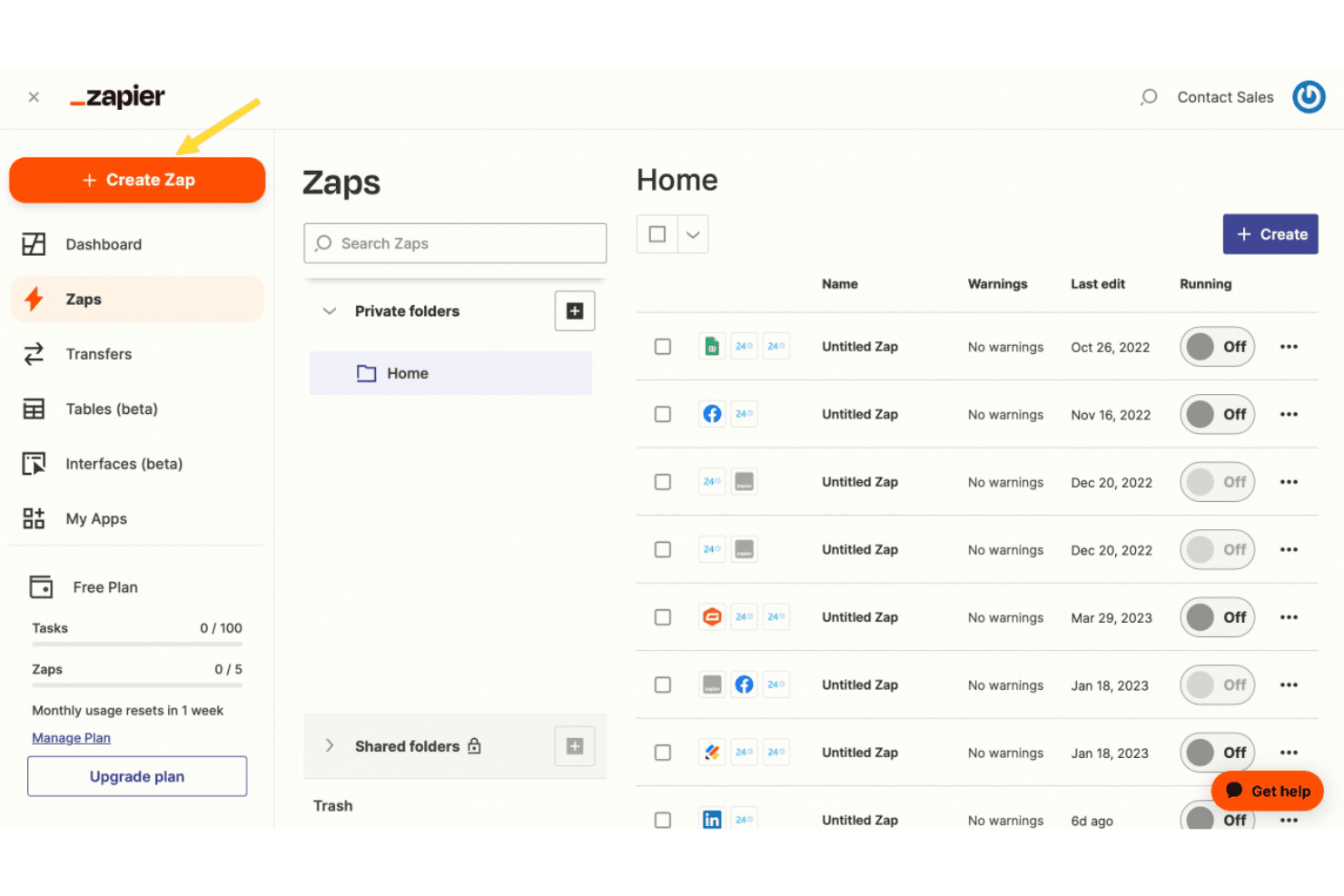
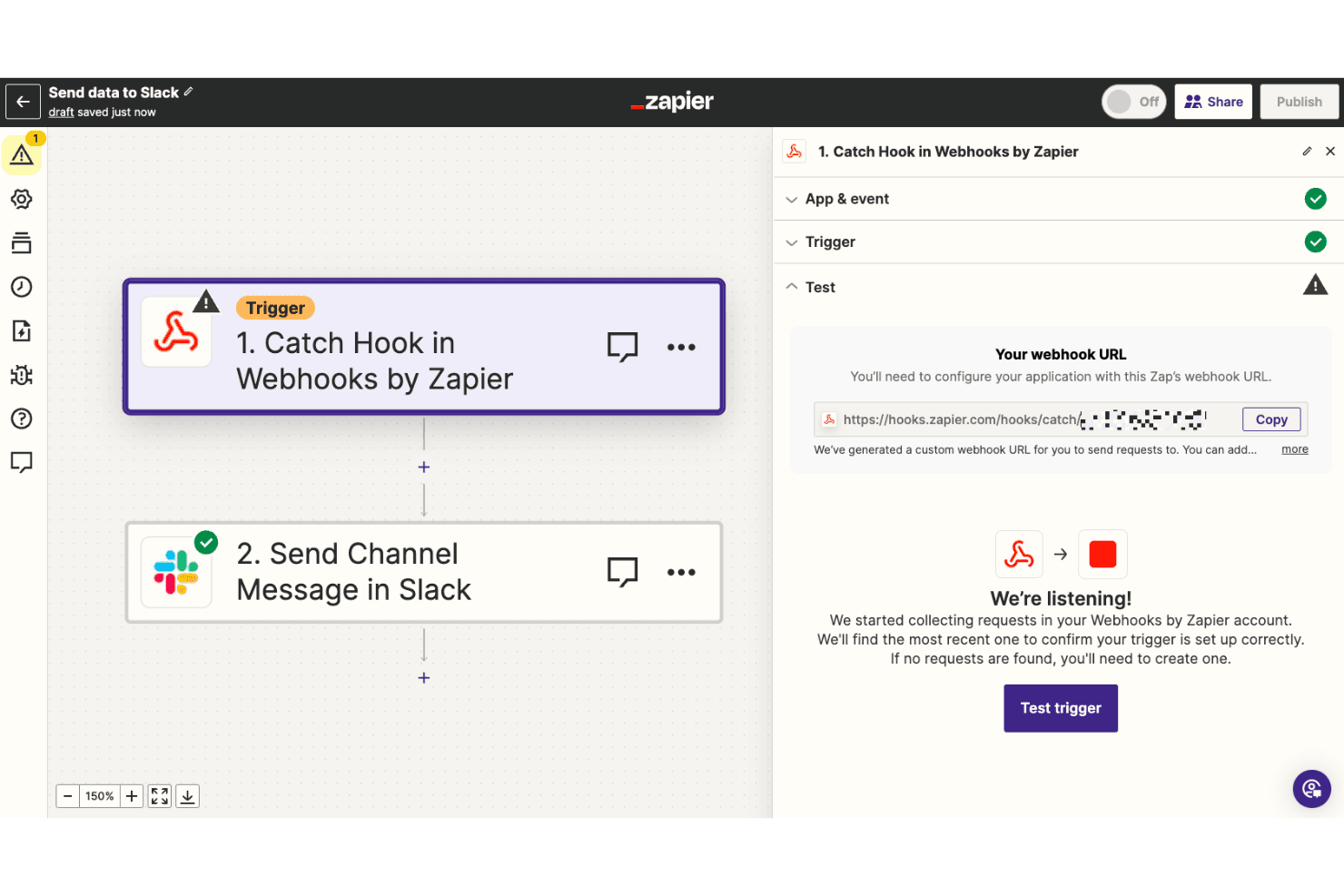
Use webhooks to connect with apps not natively supported by Zapier. This gives your team the flexibility to automate virtually any task.
Zap Templates
Access pre-made templates for common automations, speeding up setup. Your team can quickly implement best practices without starting from scratch.
Ease of Use
Zapier is praised for its user-friendly interface, making it accessible even if you're not tech-savvy. The drag-and-drop workflow builder lets you create no-code automations without any prior coding experience. Users appreciate the intuitive design, which simplifies setting up and managing workflows. Compared to other tools, Zapier's straightforward setup process and clear instructions mean your team can quickly get started and see immediate benefits in productivity.
Onboarding
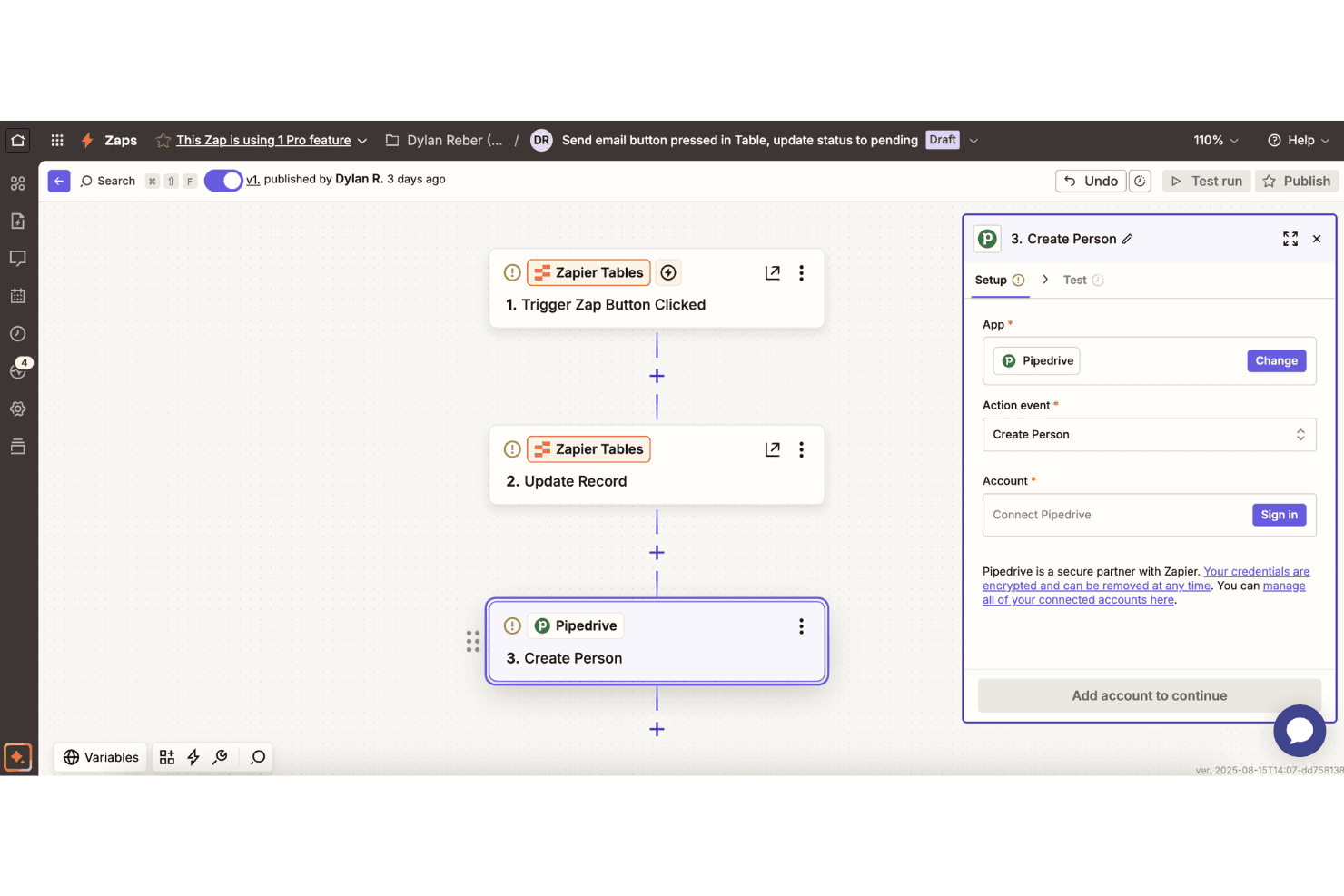
Zapier's onboarding process is straightforward but could be more comprehensive for new users. While the platform offers tutorials and a help center, some users might find the lack of personalized guidance challenging. The initial setup is quick, but understanding more advanced features may require additional time and exploration. Despite this, once you've grasped the basics, the intuitive interface allows your team to rapidly implement and benefit from automation solutions.
Customer Support
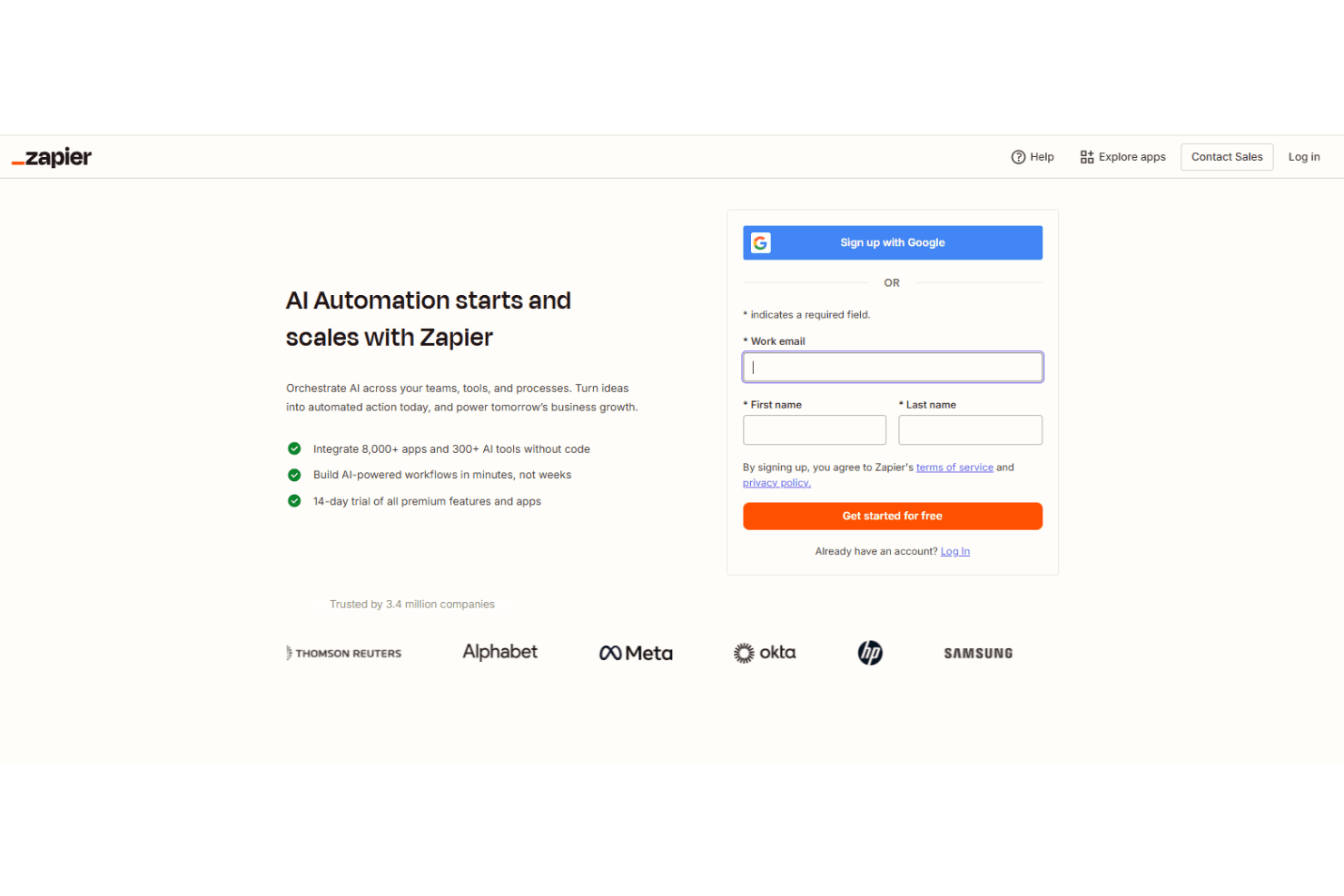
Zapier's customer support receives mixed reviews, with users noting that response times can be slow. While there are helpful resources like a detailed help center and community forums, direct support could be more responsive. Email support is available, but live chat or phone options would enhance user satisfaction. Despite this, the robust online resources often help your team find solutions independently, although complex issues might still require direct assistance.
Integrations
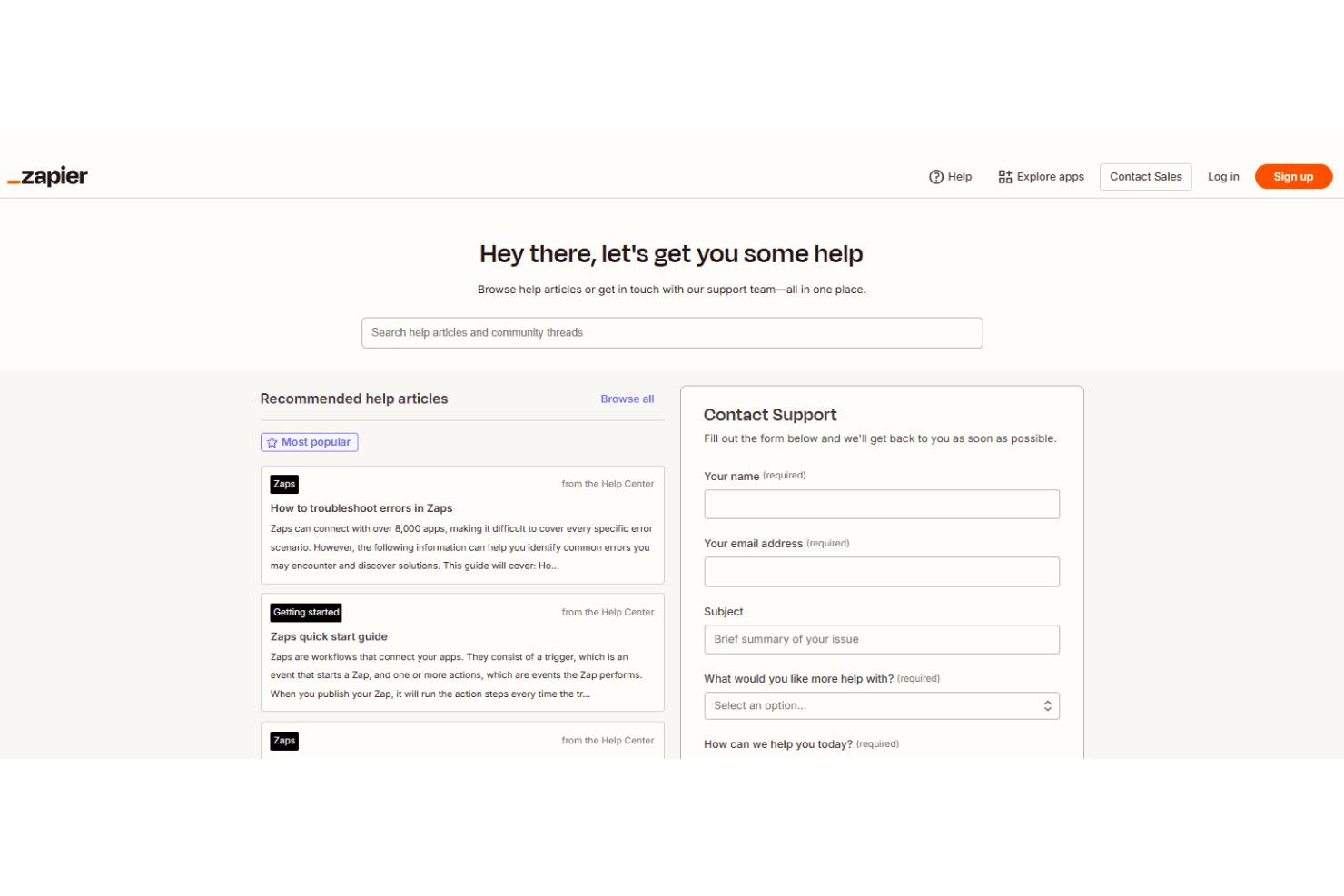
Zapier integrates with popular apps like Google Sheets, Gmail, Slack, Google Calendar, Google Drive, Notion, HubSpot, Google Forms, Mailchimp, and Microsoft Outlook.
Zapier also offers an API and connects with third-party integration tools, expanding its automation capabilities.
Value for Money
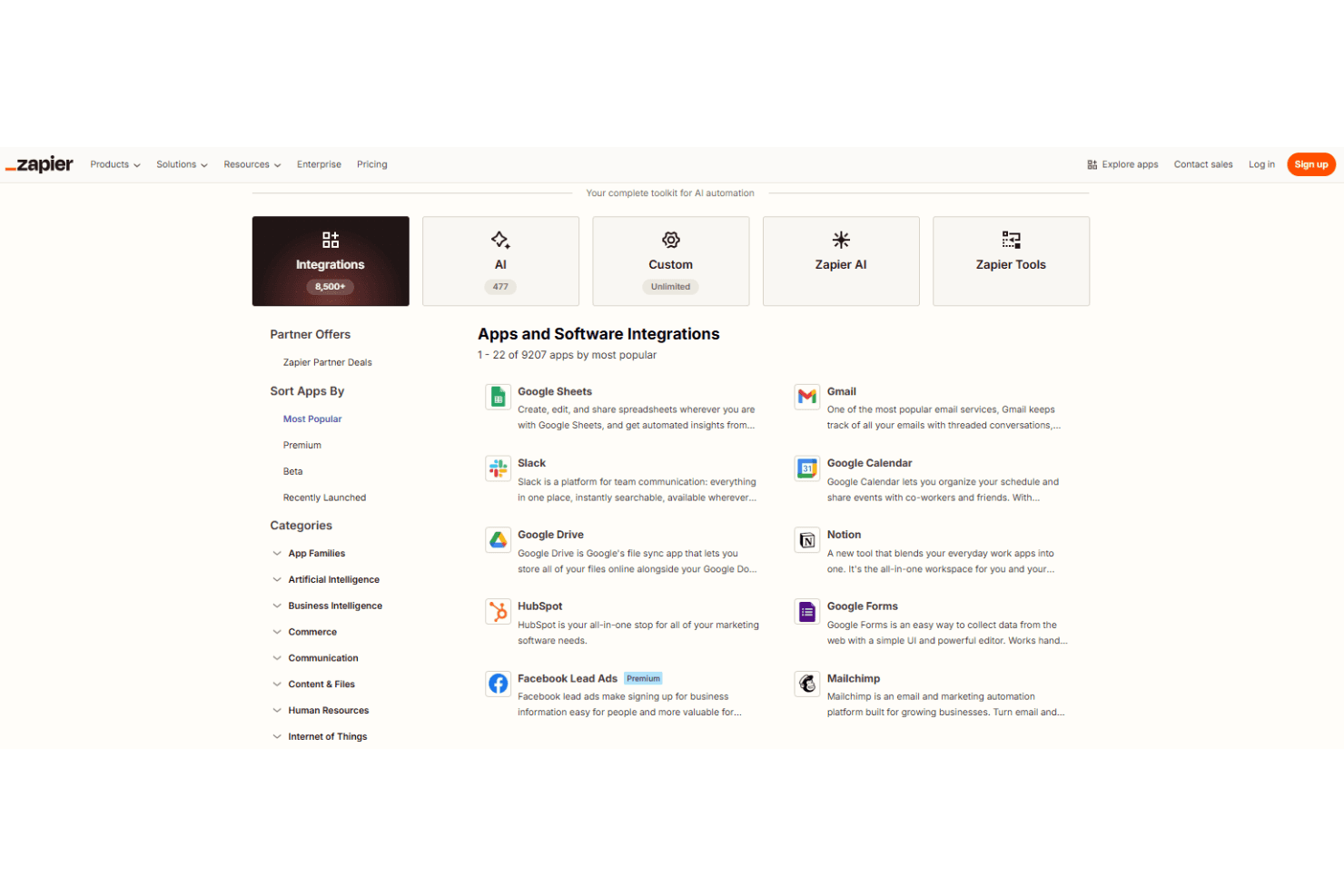
Zapier gives strong value because it turns manual work into automation fast, without code. Users like that the free plan actually works for simple tasks, while paid plans unlock multi-step workflows that save real time as your work grows. Costs scale with usage, not fluff, so you pay more only when automation becomes core to your team. You can try it free before committing.
- Free: Includes basic automation with 100 tasks and simple Zaps.
- Professional: Adds multi-step Zaps, premium apps, higher task limits.
- Team: Offers shared workspaces, team collaboration, and admin controls.
- Enterprise: Provides advanced security, governance, and org-wide automation.
Zapier Specs
- API: Yes
- Approval Workflows: Yes
- Batch Permissions & Access: Yes
- Compliance Tracking: Yes
- Contact Management: Yes
- Custom Reports: Yes
- Dashboard: No
- Data Export: Yes
- Data Import: Yes
- Data Visualization: No
- Document Management: Yes
- External Integrations: Yes
- Inventory Tracking: Yes
- Marketing Automation: Yes
- Notifications: No
- Process Modeling: Yes
- Process Reporting: Yes
- Project Management: Yes
- Roadmapping: Yes
- Sales Automation: Yes
- Supplier Management: Yes
- Third-Party Plugins/Add-Ons: Yes
- Workflow Management: Yes
Zapier FAQs
Zapier Company Overview & History
Zapier, founded in 2011, is headquartered in Missouri and operates as a fully remote company with a workforce of over 800 employees across 38 countries. Known for pioneering remote work culture, Zapier empowers businesses to automate workflows across more than 7,000 apps. The company is privately held, boasting a valuation of $5 billion, and has maintained profitability since 2014. Notable clients using Zapier include major companies in various sectors, leveraging its automation capabilities to enhance productivity.
Zapier Major Milestones
- 2011: Founded as a side project by three individuals in Missouri.
- 2012: Officially launched as part of the Y Combinator startup accelerator program.
- 2014: Achieved profitability with a few dozen employees.
- 2025: Reached a valuation of $5 billion, highlighting its growth and success in the automation space.